
Question: After connecting clients to QuickBooks files, Lodgeit has added clients to my QuickBooks client list. It appears that Lodgeit has not recognised the nicknames in QuickBooks but accepted the connection. How do I fix this?
Solution:
If you want to sync it, then please follow below instruction:
- Remove duplicate clients using QuickBooks.
- Enable synchronization in Lodgeit.
Navigate to gear wheel > client sync, tick Synchronize QuickBooks clients.
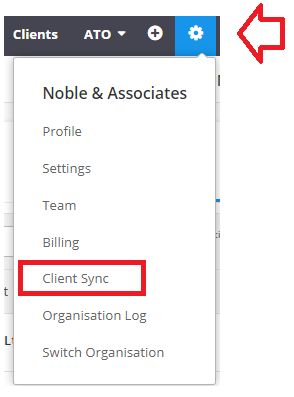
- Lodgeit will try to map all clients automatically by 100% name and/or email single matching
- If some of clients doesn't map, then it's necessary to map it manually (via gear wheel > client sync)

If you click "export" (on tab Not In QuickBooks) - then new clients (and probably duplicates) will be created in your list in QuickBooks .
Related guide: Avoid Duplicate Client record

Related guide: