
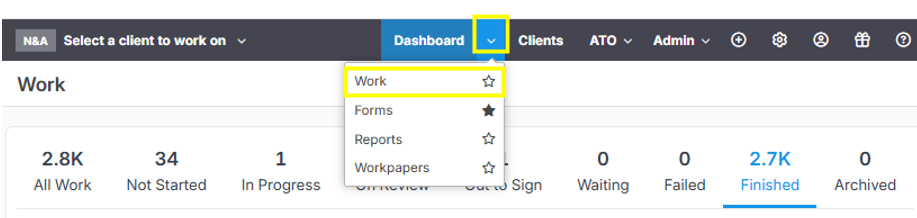
Go to the Dashboard and click the dropdown arrow and select "Work"
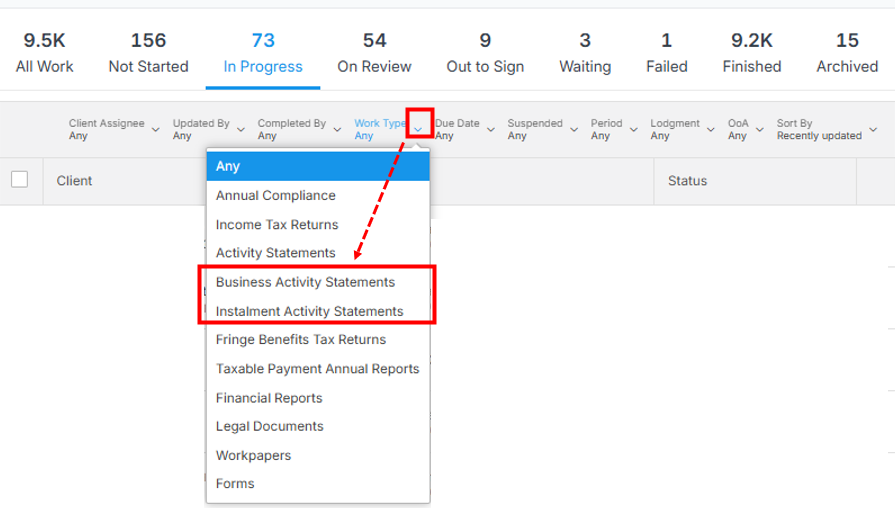
Click the dropdown button under "Work Type" among the column headings. Then select "Business Activity Statements" or "Instalment Activity Statements" (as applicable) to filter the IAS/BAS form.
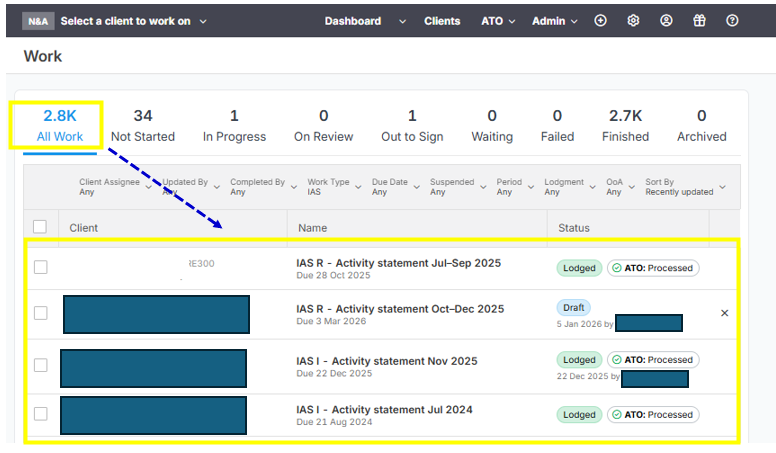
NOTE: If you wanted to view and filter all the forms (IAS as per sample below), you need to click "All Work"
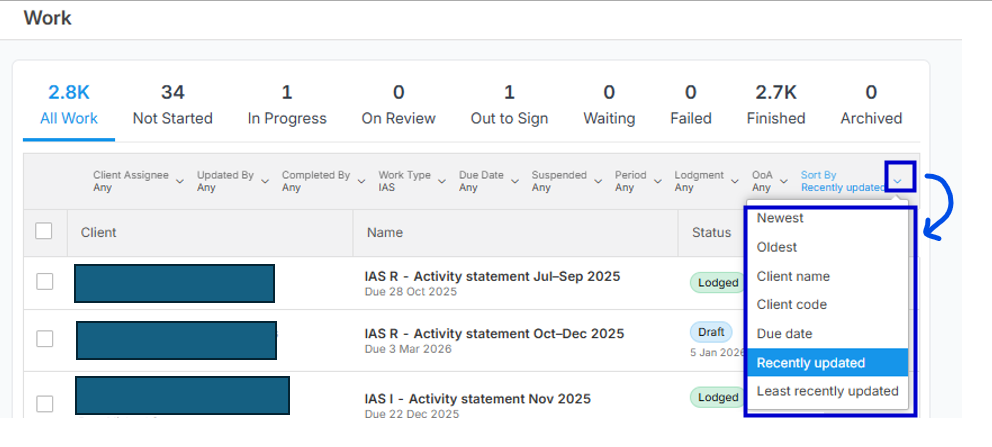
If you need to do sorting, just click the dropdown arrow button under the column header "Sort By". See below image for your reference:
To export the list of BAS and IAS forms, just click the 3 dots button in the upper right side and select "Export to CSV" or "Export to Excel".
