
This video is about understanding Lodgeit Billing Module and process for Tax agent.
Log in to your Lodgeit account.
Select the option related to your organisation:
On the left-hand menu, click ⚙️ Settings (or your profile icon if applicable).
From the dropdown options, select Billing.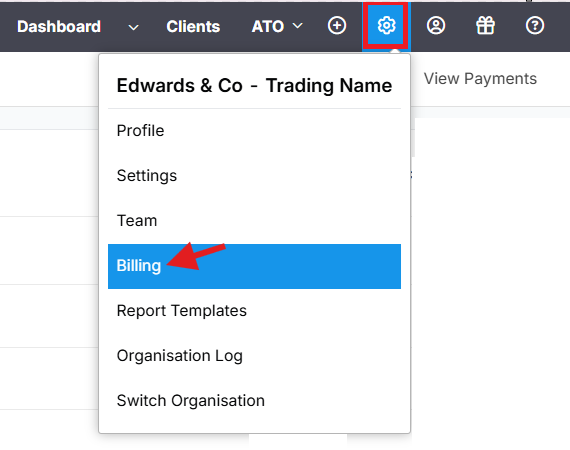
The Billing page will open — here you can:
View your current subscription
Check payment history
Update billing details or payment method
Check the number of lodgments left in your plan, page here https://go.lodgeit.net.au/billing

Note: To avoid payment interruption, please don't close or refresh the page while the payment is processing.
** Above sample shows that for "Income Tax Return", user has 677 Lodgement left that can be used for lodging.
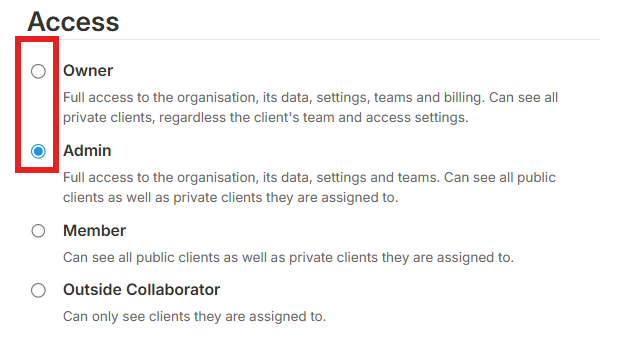
Tip: If you can’t see the Billing option, make sure you’re logged in with an Admin account to have billing permissions enabled.
FAQ:
1. How long do you take to process the payment? - IMMEDIATELY, AS SOON AS YOU ADD YOUR CARD DETAILS, YOU CAN USE ALREADY USE THE PACKAGE, (ie YOU CAN PROCEED WITH LODGING YOUR FORMS)
2. When will I be able to lodge with ATO after payment? - YOU CAN LODGE RIGHT AWAY, BUT THERE ARE INSTANCE THAT ATO DON'T PROCESS THE FORM IMMEDIATELY.
3. If I pay over the weekend or after work hours, do you process the payment the next business working day? -YES. AS SOON AS YOU PROVIDE YOUR CARD DETAILS VIA OUR BILLING PAGE.
4. How to see my Lodgement credits? - YOU CAN CHECK THE NUMBER OF LODGEMENT LEFT ON YOUR BILLING PAGE https://go.lodgeit.net.au/billing 
** Above sample shows that for "Income Tax Return", user has 677 Lodgement left that can be use for lodging.
Related article: