
Cancelling QuickBooks does not automatically affect your Lodgeit access, but you will no longer have a free lodgement under your QuickBooks ProAdvisor benefits and the seamless financial integration between QuickBooks to Lodgeit.
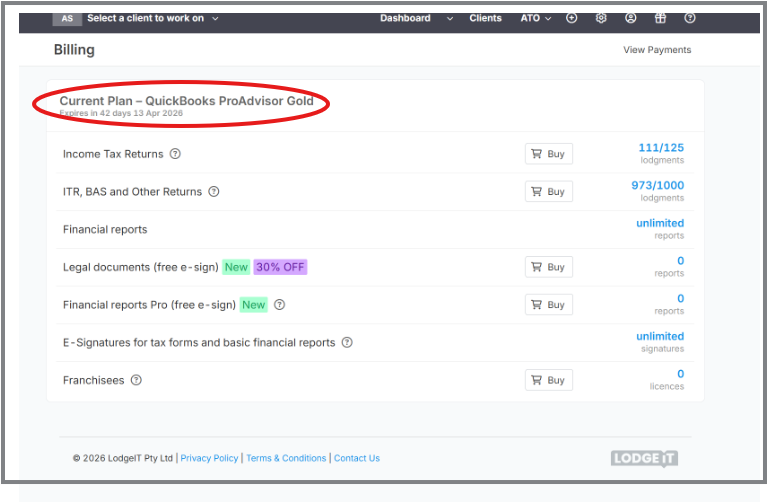
To proceed with the cancellation:
Step 1: Reach out to Lodgeit support.
Please reach out to Lodgeit support for assistance and provide the following:
2. Email address (Lodgeit sign in details)
3. ABN of your firm
Once technical team cancelled the QuickBooks ProAdvisor via back end.
Step 2: Purchase Lodgeit lodgement subscription plan.
Lodgement bundles are package plan and dedcuted per lodgement submission.
Log into Lodgeit
Go to Settings → Billing
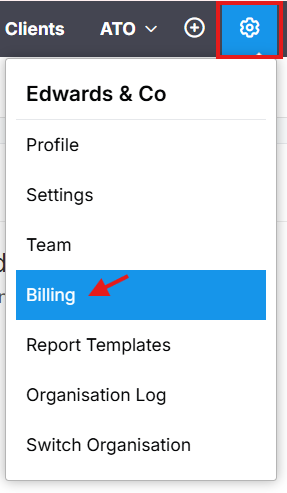
Select Package
Choose appropriate bundle size
Process payment