
Note: The Franchisee / Switch Organisation option is available only for users with the QuickBooks ProAdvisor feature enabled.
To set up a new practice subscription from your current franchise subscription in Lodgeit, follow these steps:
Step 1: Access the "Switch Organisation" Feature
Locate the Settings Icon:
In the top navigation bar of your Lodgeit interface, find the blue circular gear icon (⚙️) symbol.
Click on the dropdown menu, select "Switch Organisation":
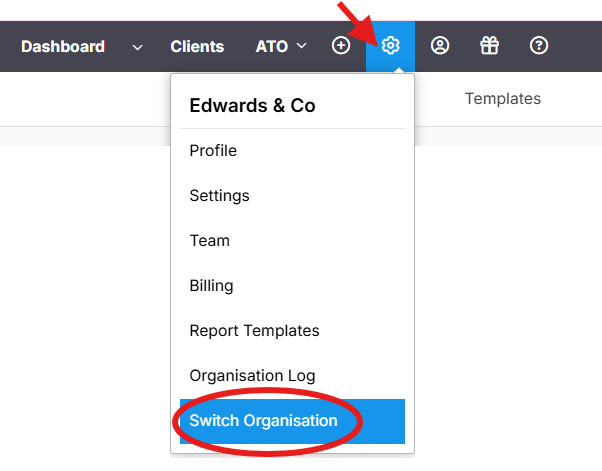
After selecting "Switch Organisation," you will see a list of your current organizations.
Step 2: Add a New Organisation
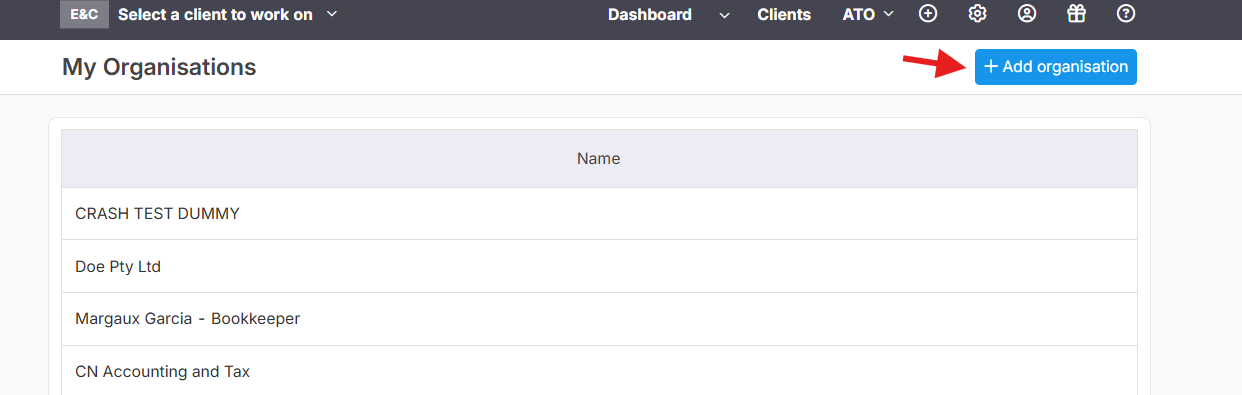
This will allow you to add and manage multiple organizations.
Click the light-blue button labeled "+ Add organisation."
Step 3: Complete the New Organisation Form:
Fill out the required details for the new practice:
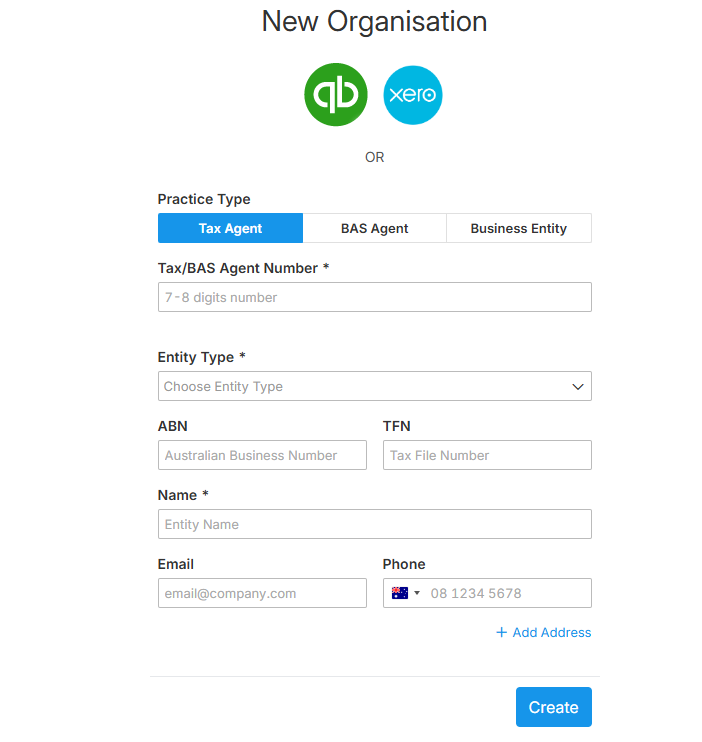
Practice Type: Select "Tax Agent" or "BAS Agent."
Tax/BAS Agent Number: Enter the relevant number.
Entity Type: Choose the appropriate entity type (e.g., Individual, Company).
ABN and TFN: Provide the Australian Business Number and Tax File Number.
Contact Details: Enter the title, first name, last name, email, and phone number.
Date of Birth and Gender: Fill in these fields as required.
Address (Optional): Add the organization's address if needed.
Click "Create": Once all required fields are completed, click the blue "Create" button to finalize the setup of the new organization.
Step 4: Purchase a New Subscription
Navigate to the Billing Section: Click the gear icon (⚙️) in the top-right corner and select "Billing" from the dropdown menu.
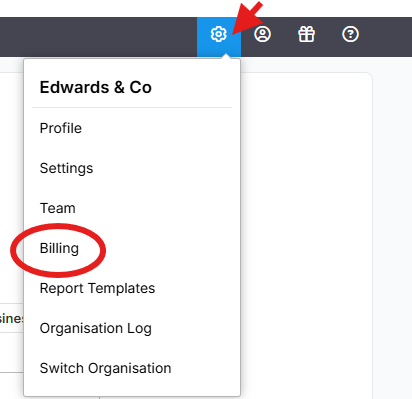
Scroll to "Franchisees", and click "

Set Up Payment Information:
Enter your payment details, including your credit card number, expiration date, name on the card, and CVN.
Click the "Pay" button to complete the subscription purchase.
Step 5: Connect the New Organisation to the ATO.
Collect Your Lodgeit Software ID:
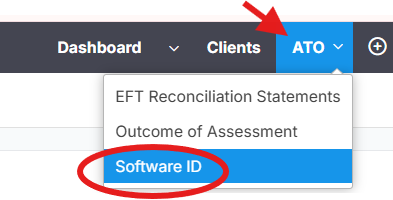
Navigate to the "ATO" dropdown in the top navigation bar and select "Software ID."
Click HERE to learn more about on how to connect and nominate Lodgeit as your SBR partner.
Step 6: Verify and Manage the New Organisation
Switch Between Organisations:
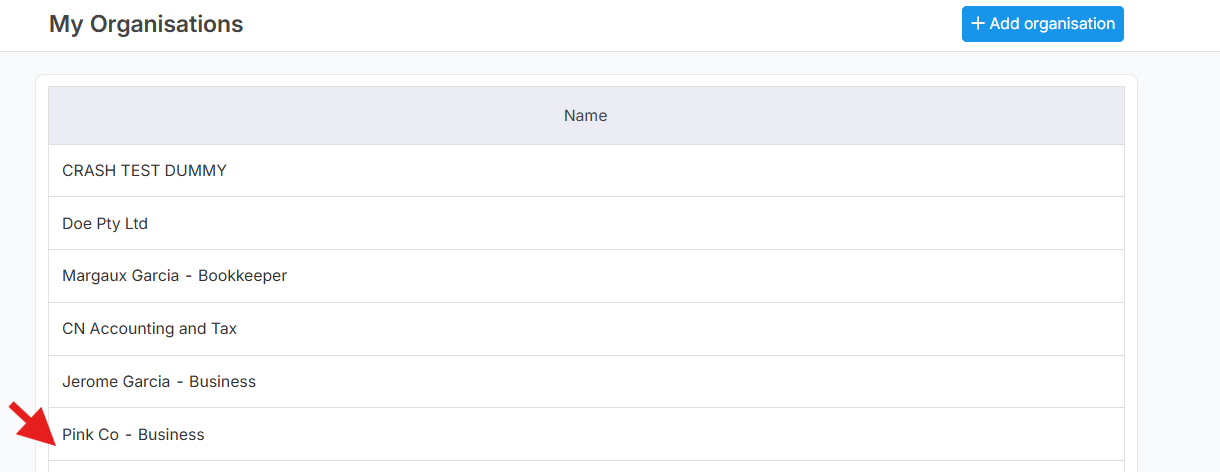
Use the "Switch Organisation" feature to toggle between your current franchise subscription and the new practice subscription.
Below illustration shows that, "Pink Co-Business" is the new Organisation.
Important Notes:
- The Franchisee / Switch Organisation option is available only for users with the QuickBooks ProAdvisor feature enabled.
- Each new organization will share the lodgement package of the main account, but an additional cost of $300 ex GST ($330) applies for every new organization.
- The expiration of the Franchise License is tied to the validity of your QuickBooks ProAdvisor Subscription.
- Unused credits from your current subscription will not carry over to the new subscription.
Related guide: