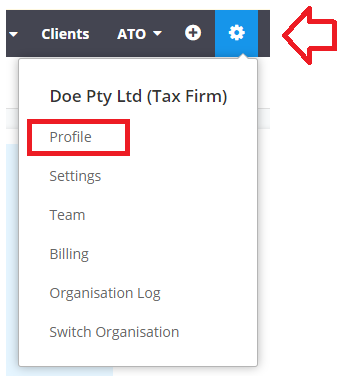
In order to update the agent's "contact details", you need to click Click the "Gear Wheel > Profile"
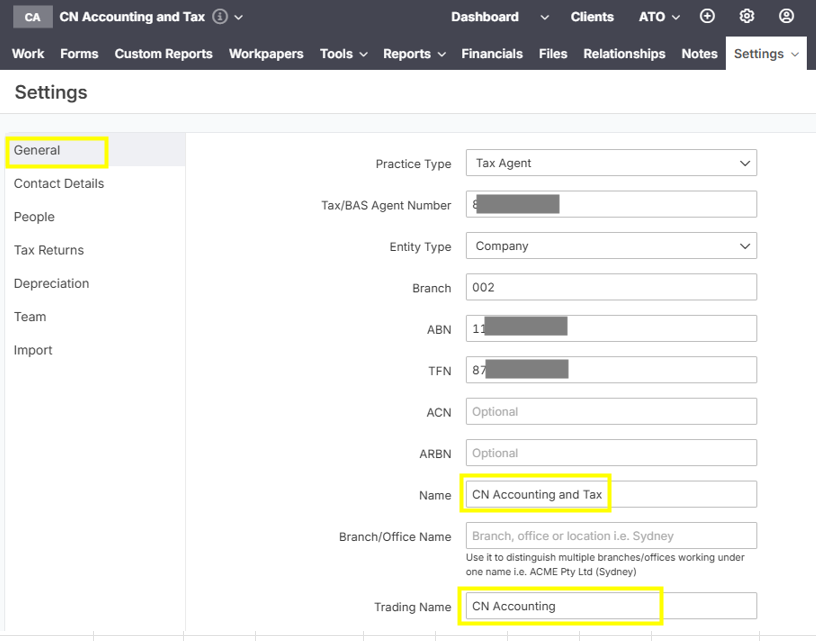
Update the Trading Name (if you have any), otherwise change the Name. Click Save.
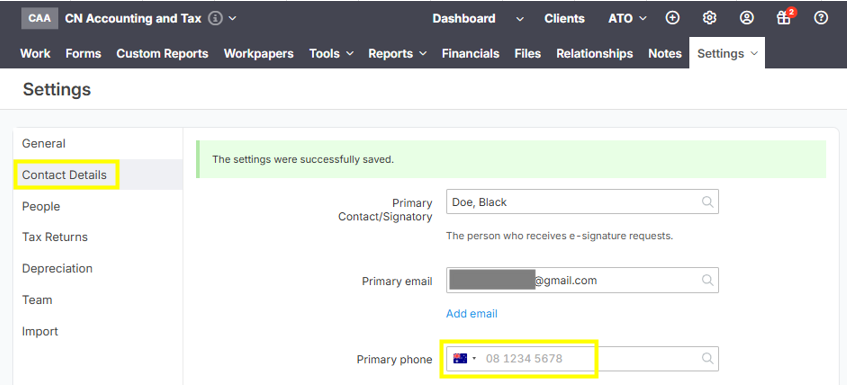
For the email address and phone number, please click "Contact Details" and update "Primary Email" and "Primary phone" details. Please see below image for your guide:
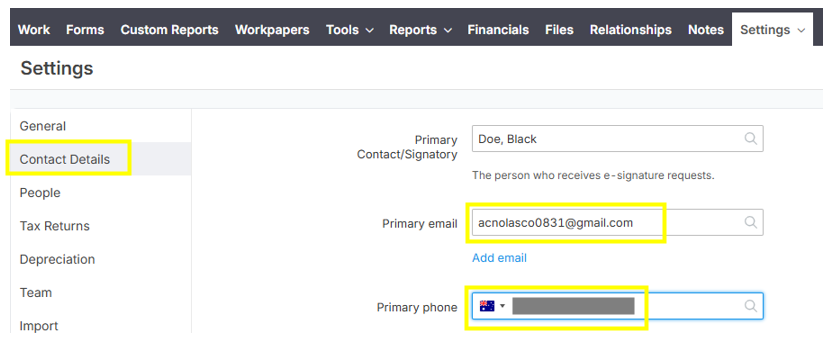
NOTE: You can also delete the "Primary Phone" number field of your account's main profile, if you don't wanted to show it in the e-signature email.
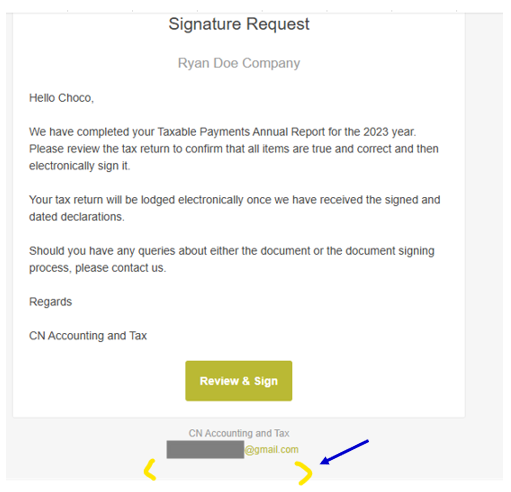
Sample e-signature email image below without the primary phone number: