"Lodging" Pre-Lodged: Queued

Possible Reasons:
A. Process On-going
Such issue could occurs because of delay in interaction to ATO services - as sometimes response from ATO takes long time, also ATO don't process immediately or could take a week or 2 to show as lodged in ATO Systems depending on Form Type
Please check via ATO the form status, if the form shows "Lodged" via ATO, please "Mark form as lodged" manually via Lodgeit. Learn more
If your form remains in the "Lodging" status for an extended period:
- Check the ATO Portal: Verify if the form has been successfully lodged in the ATO portal.
- Contact Support: Provide the form details and client information to the Lodgeit support team. We will investigate the issue and take appropriate action, such as unlocking the form or resolving the status.
B. Out of Lodgements
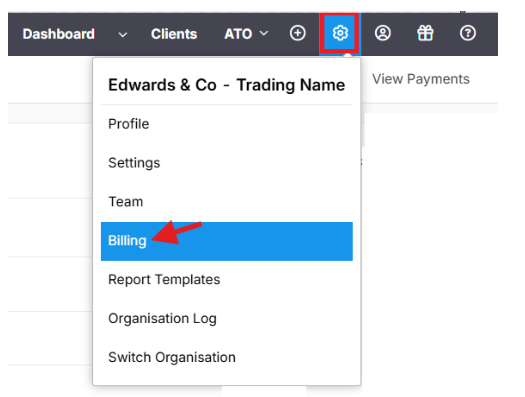
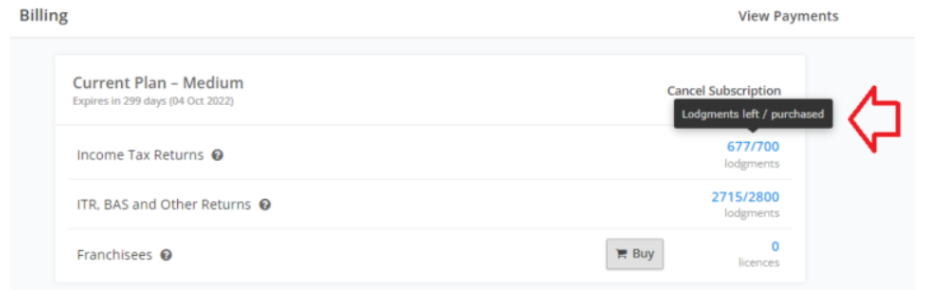
Does not have enough lodgement credits available. Please check the "Billing" page, and purchase additional credits to proceed.
C. Temporary Interruption
There was a temporary interruption in the ATO or Lodgeit services during the lodgement process.
The “Lodging” status means that the form has not yet been successfully sent to the ATO and is still pending on the Lodgeit side.
In case of a failure in ATO systems, forms get stuck in Lodging. In rare instances, techs have had to revert forms from Lodging to "To Lodge". In even more rare instances, a form will "Error" and be rejected by ATO systems. Moreover, if there is a system issue, it tends to impact all users simultaneously across the platform.
Important Notes
Users cannot unlock a form while it is under the “Lodging” status.
Only the Lodgeit Technical Team has the ability to unlock the form.
Why Support Needs to Investigate First
Before unlocking the form, the Lodgeit Technical Team must investigate the issue. This is important because:
The form may still be actively processing with the ATO.
If the form is unlocked while processing, it could still be lodged in the background, which may cause duplicate or conflicting lodgements.
What To Do
If your form remains in “Lodging” status for an extended time:
Provide the form details and client information.The support team will investigate the cause and resolve the status if necessary.
- Billing page screenshot showing how many lodgement you have: Here is how : Biling page
- Pdf copy of invoice: Here is how: Invoice
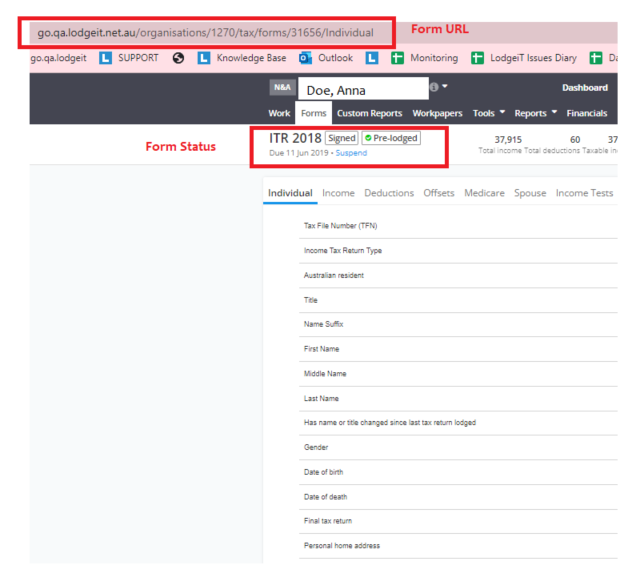
- Form Status and URL Guide to Form URL)See sample below:
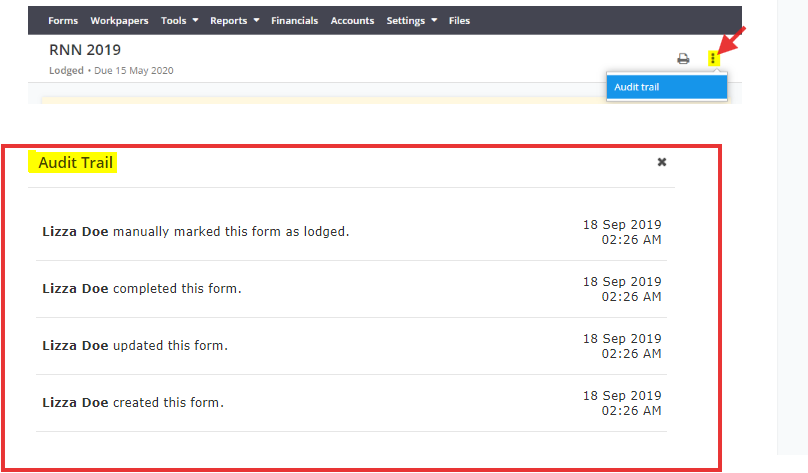
- Form Audit Trail Screenshot: Here is how: Audit trail