
Learn more about Lodgment progress status HERE

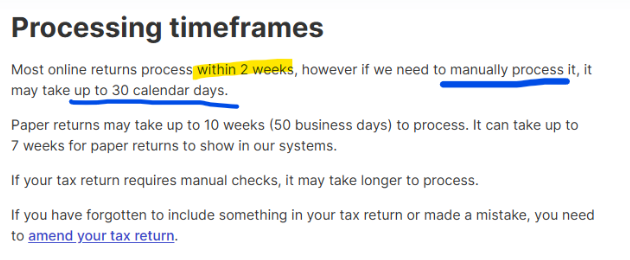
NOTE: Processing timeframes detail below from ATO portal
"Lodging"
Means that form was not sent to ATO. It is pending on the Lodgeit side. Possible Reason:
Click here to Learn more
If your form remains in the "Lodging" status for an extended period:
- Check the ATO Portal: Verify if the form has been successfully lodged in the ATO portal.
- Contact Support: Provide the form details and client information to the Lodgeit support team. We will investigate the issue and take appropriate action, such as unlocking the form or resolving the status.
Note: User has no access to "unlock" the form under "Lodging" status, this can be done by Lodgeit Technical Team, but they need to find out first the reason behind the form status, because the form is currently inteacting/processing with the ATO and could be lodged in the moment when we unlock it via backed.

In case of a failure in ATO systems, forms get stuck in Lodging. In rare instances, techs have had to revert forms from Lodging to "To Lodge". In even more rare instances, a form will "Error" and be rejected by ATO systems. Moreover, if there is a system issue, it tends to impact all users simultaneously across the platform.
Related Article: