
Overview
If a client uses the Apportioning Method rather than the Market Value Method to calculate their Capital Gains Tax (CGT) discount, you must select the appropriate discount method and enter the required number of Australian residency days in the CGT worksheet.
Follow the steps below to apply the apportioning method in LodgeiT.
Instructions
Step 1: Open the CGT Worksheet
Navigate to the client's tax return and open the relevant Capital Gains Tax (CGT) worksheet.

Step 2: Select the Discount Method
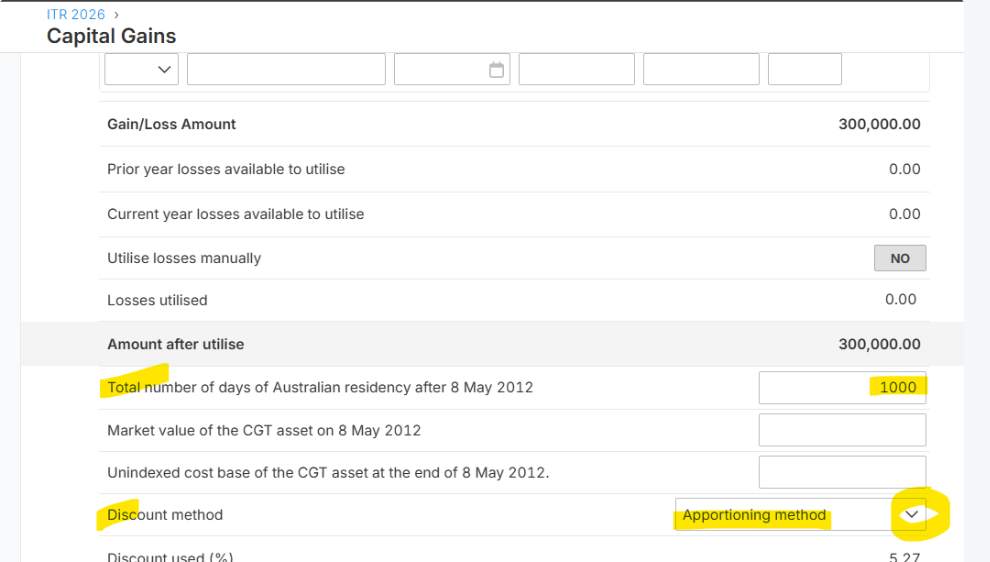
Locate the Discount Method field and select:
Apportioning Method
Make sure this is selected instead of the Market Value Method.
Step 3: Enter the Total number of Australian Residency Days
In the CGT worksheet, locate the following line item:
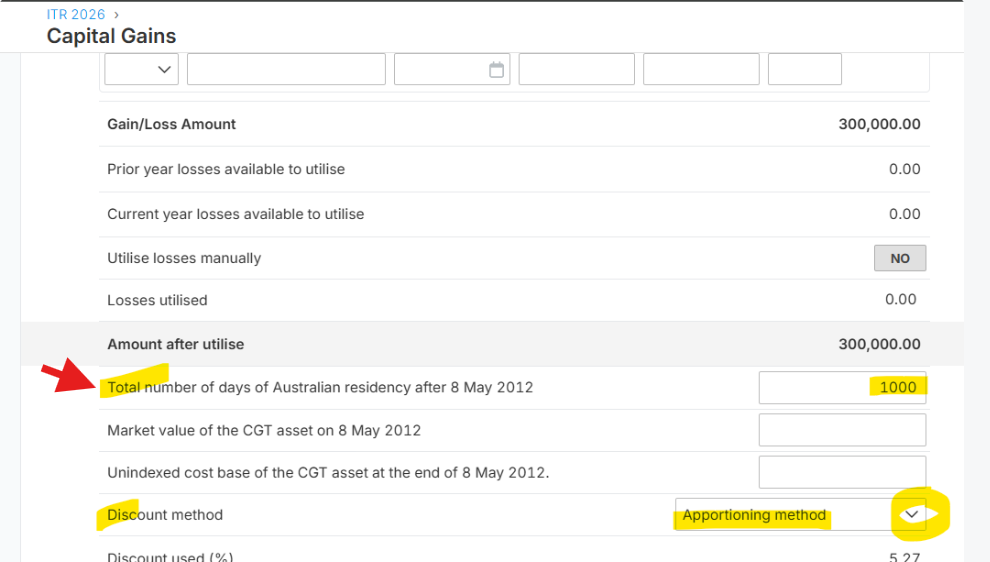
Total number of days of Australian residency after 8 May 2012
Enter the applicable number of days the client was an Australian resident during the relevant CGT discount testing period.
Step 4: Review the Calculation
Check that the residency days entered are correct and review the resulting CGT discount calculation.
Ensure the number of days is calculated in accordance with the applicable ATO rules.
Additional References
For assistance with calculating the applicable residency days and understanding the apportioning method, refer to the following ATO resources:
Important Note
The number of Australian residency days must be calculated accurately based on the client's residency history and the relevant CGT discount testing period.
For further guidance on eligibility and the calculation of the CGT discount, refer to the ATO resources above.