
Issue
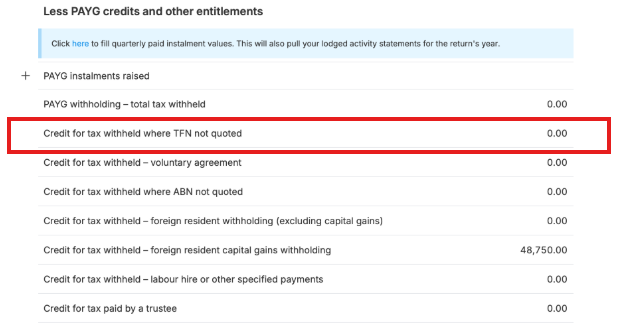
The TFN amounts withheld from gross interest is appearing under Estimate > Credit for tax withheld where TFN not quoted, but you cannot find the amount on your tax return form.
Cause
The value shown in the Estimate is sourced from the Interest Income schedule.
If no amount has been entered in the TFN amounts withheld from gross interest field, there is nothing to display on the tax form.
Resolution
To view and report the TFN withholding amount correctly:
- Open the relevant Income Tax Return (ITR).
- Go to the Income tab.
- Select Interest.
- Locate Label 10 – Interest.
- Enter the amount in TFN amounts withheld from gross interest.
- Save the changes.
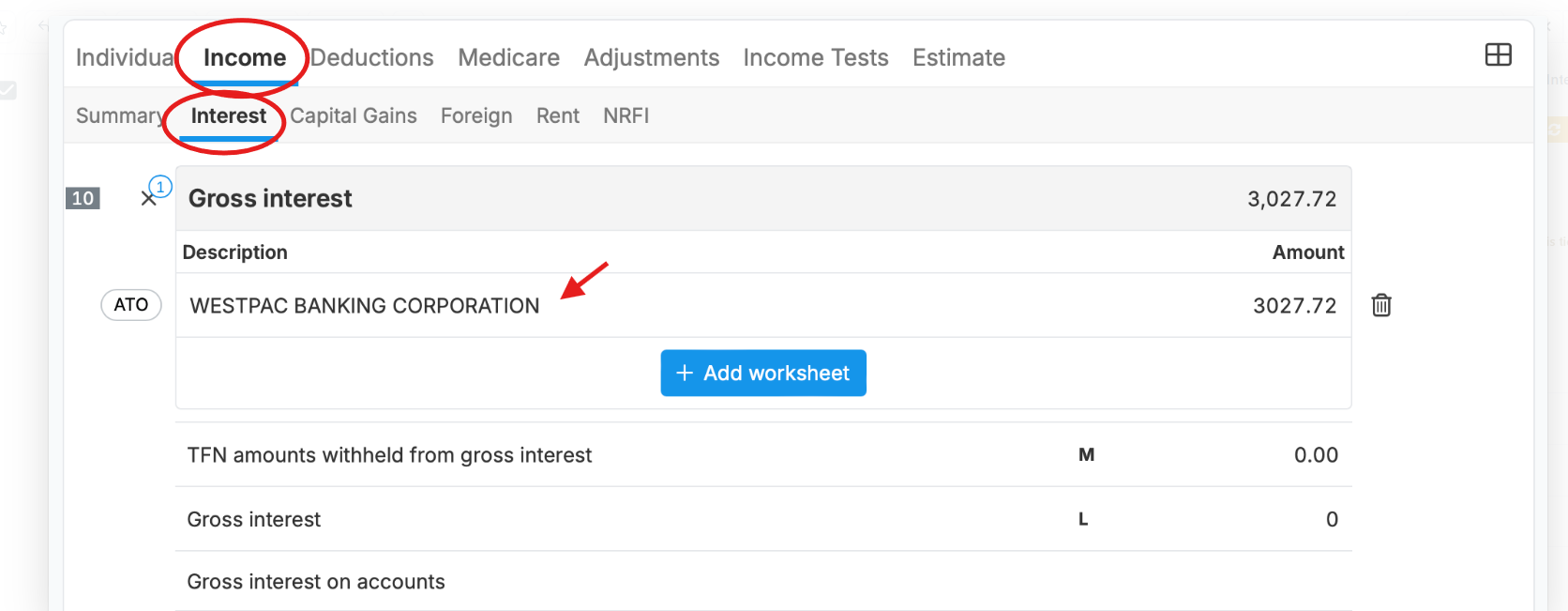
Once the value has been entered, the amount will be reflected correctly in the tax return and included in the Estimate calculations.
Note: The Estimate section only displays calculated tax outcomes. The actual TFN withholding amount must be entered in the Interest schedule before it can appear on the tax form.