
Issue
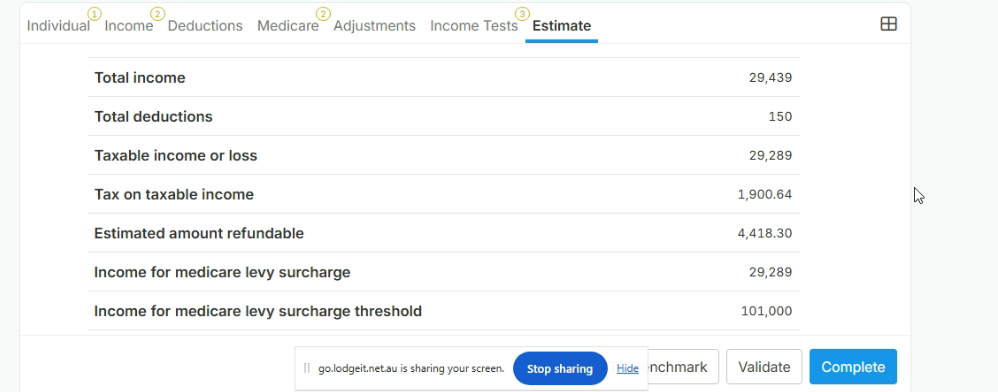
The system is calculating a Medicare levy liability for a period before the client arrived in Australia. This may occur when the client's Medicare levy exemption days have not been entered.
Solution
To correctly reduce the Medicare levy and Medicare levy surcharge (MLS), enter the client's exemption days in the relevant sections of the tax return.
How to Fix
- Open the client's Individual Tax Return (ITR) in Lodgeit.
- Navigate to the Medicare Levy section.
- Enter the applicable exemption days in M1 for the Medicare levy.
- Enter the applicable exemption days in M2 for the Medicare levy surcharge.
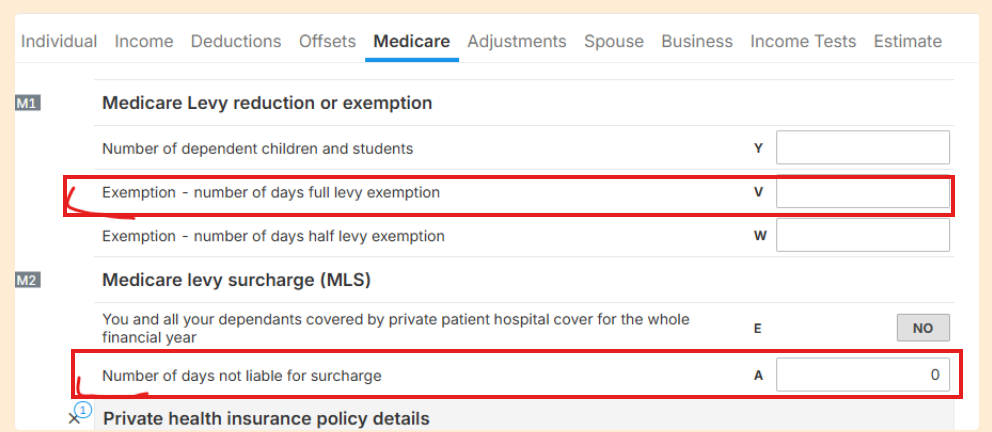 If you wanted to have zero Medicare Levy Liability, then you need to fill 365 (days) in M1 - Label V.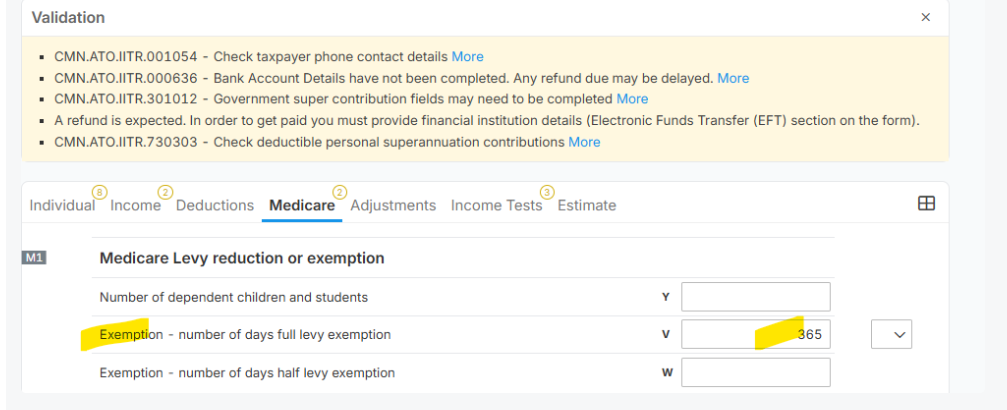
- Review the calculation to confirm the Medicare levy liability has been reduced accordingly.
- Complete the remaining sections and proceed with lodgment once the return is correct.
Important
The exemption days should reflect the period the client was not eligible for Medicare benefits, such as the period before their arrival in Australia, where applicable.
Entering the exemption days in both M1 and M2 ensures the Medicare levy and Medicare levy surcharge calculations are adjusted appropriately.