
1. Go to Business > Other tab.

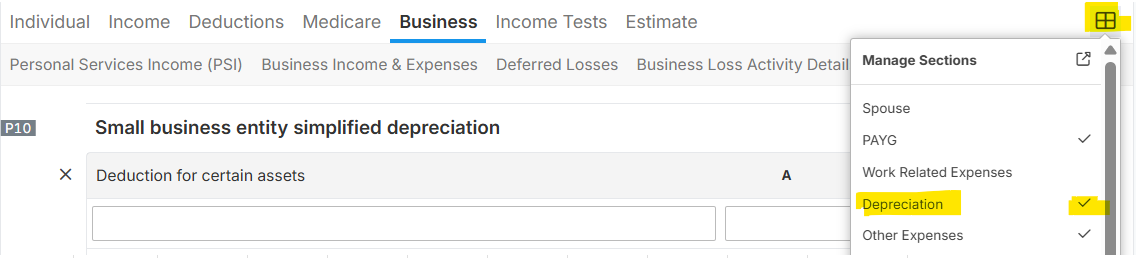
NOTE: Ensure that the Depreciation section was ticked check in the Managed Sections of the form, so that Label P10 will show. See below image:
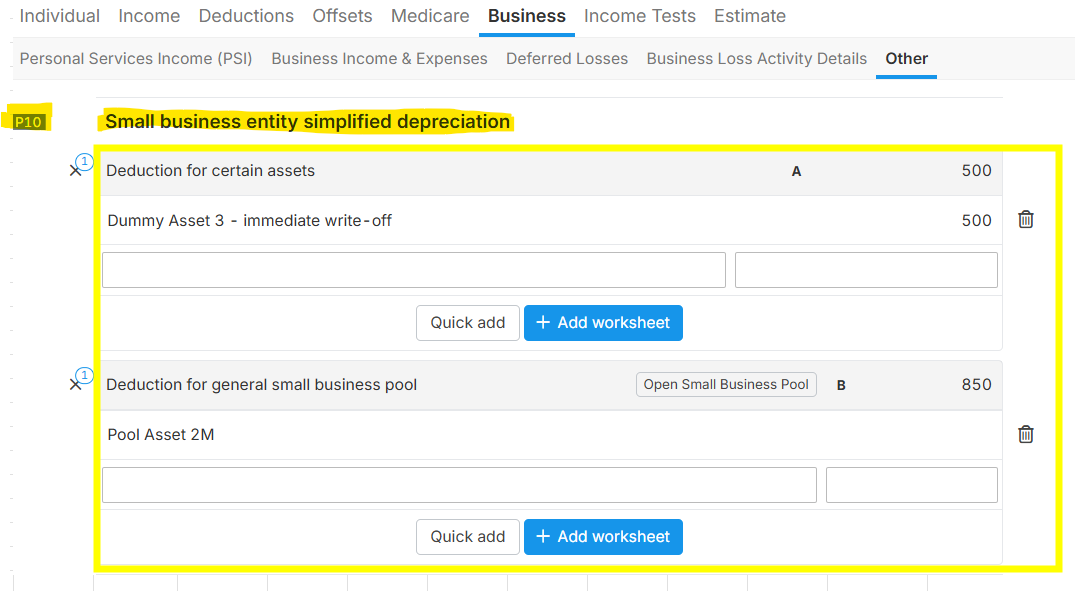
2. Go to P10 "Small business entity simplified depreciation" and add the correspoding assets as follows:
- Deduction for certain assets - add assets related to Small Business Immediate Write-off
- Deduction for general small business pool - add General Pool related assets
 NOTES:
- Add assets using "Add Worksheet" and "Quick add" button if you wanted to have a tax depreciation schedule, otherwise you can just encode the asset name and amount in the form.
- Use the "Add Worksheet" button to add 1 asset at a time, while use "Quick add" button to import multiple assets into the tax form.