
User can now distribute capital gains and losses among investors on the capital gains tax schedule. No need to enter the same data twice.
Note: This feature is available for income tax returns from 2021 onwards.
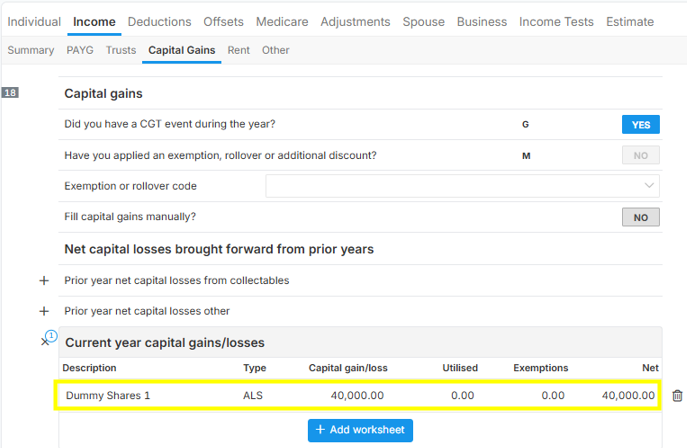
Below illustration is an individual income tax form , go to "Income > Capital Gains" tab.

Click the Capital Gain worksheet to open it.
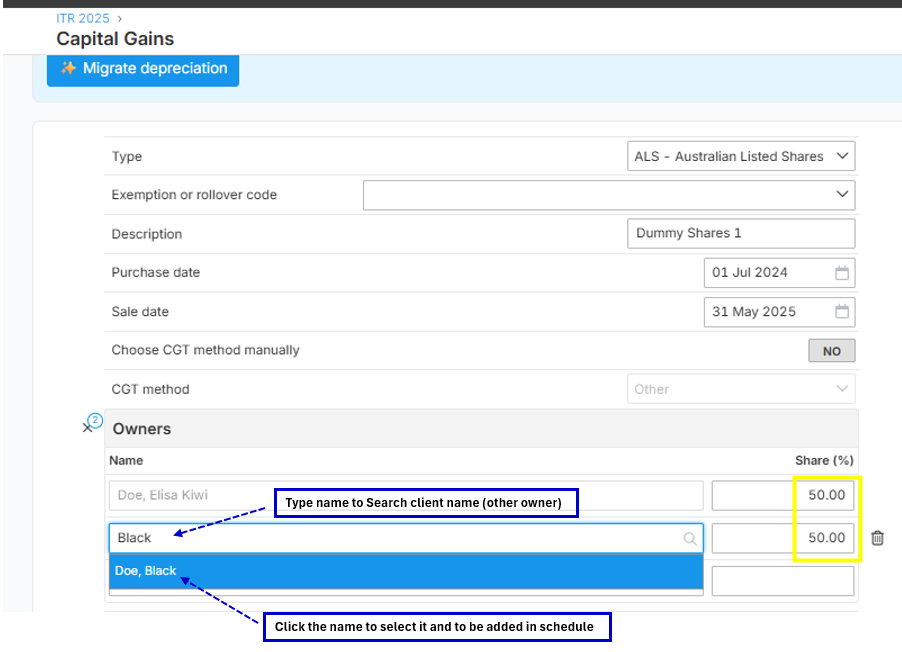
Ensure to add the additional owner name by searching the name under the "Owners" section and then click the name to add in the schedule as one of the co-owners of the capital gain. Update the sharing percentage (e.g. is 50/50 sharing).
Input the Capital Proceeds 100,000 (100%) and then input the Cost Incurred share of 50% amounting to $10,000 (20,000 x 50%), since the Capital Proceeds Share of 50% was automatically reflected in the schedule. Amount is 50,000 per line item "Capital proceeds share".
As you see per image below, the taxpayer share of the 50% of the Net Capital Gain is $40,000 (50000-10000).
Data Assumptions for illustration:
- Gross Proceeds (100%) is $100,000
- Cost Incurred (100%) is $20,000
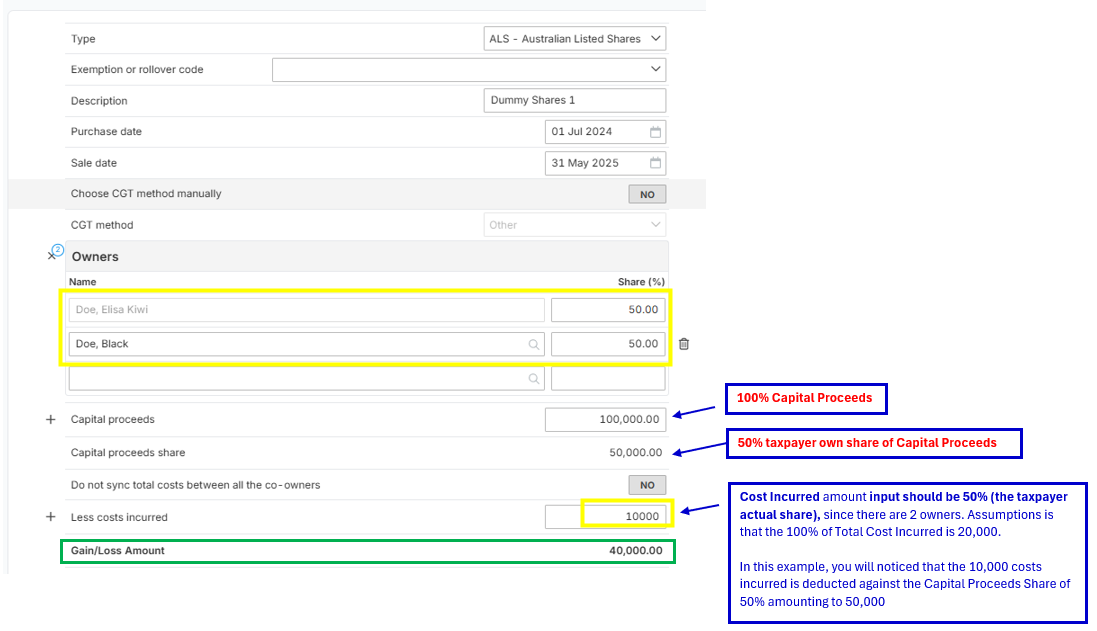
NOTE: Please ensure that "NO" is selected in the line item "Do not sync total costs between all the co-owners", so that the costs will also be sync or show in the other co-owners CGT Schedule.
Learn more from this guide