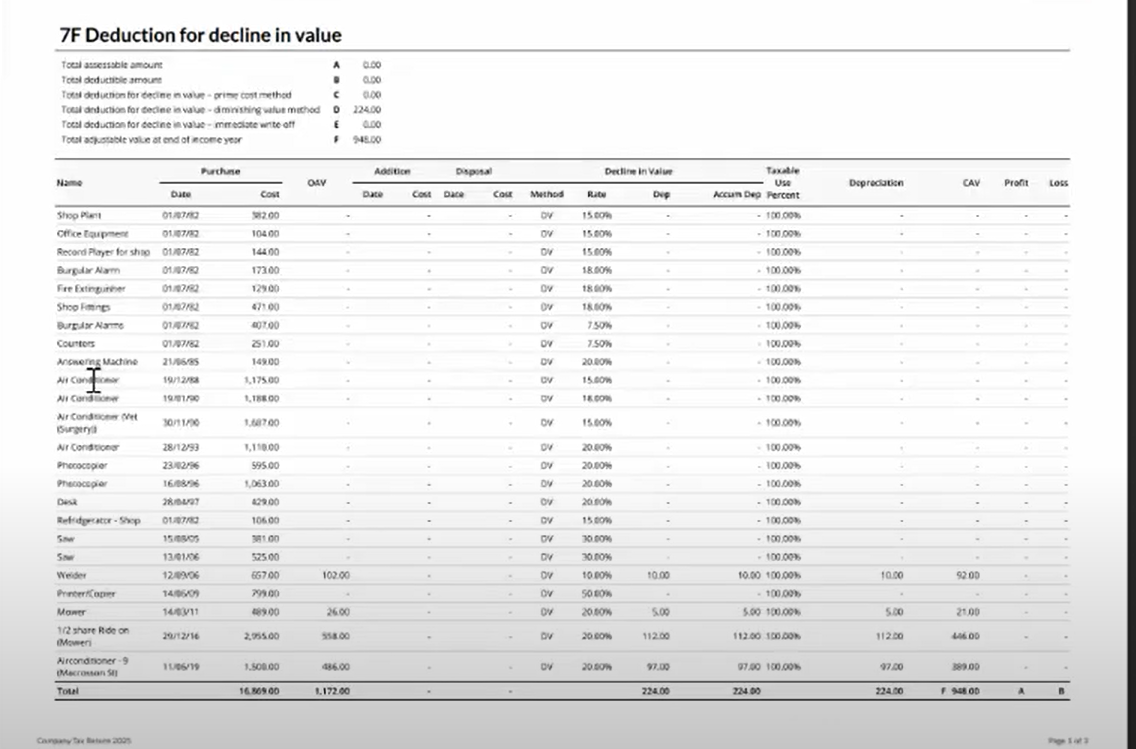
We make it easy for you to migrate your depreciation reports into Lodgeit.
You can import depreciation reports from the following:
- Handiledger Depreciation Reports
- Handitax Depreciation Reports
Steps to Migrate
1. Export your depreciation report from your existing software (HandiLedger or HandiTax).
2. Navigate to https://transforms.lodgeit.net.au/depreciation , and upload your depreciation report and collect the csv files.
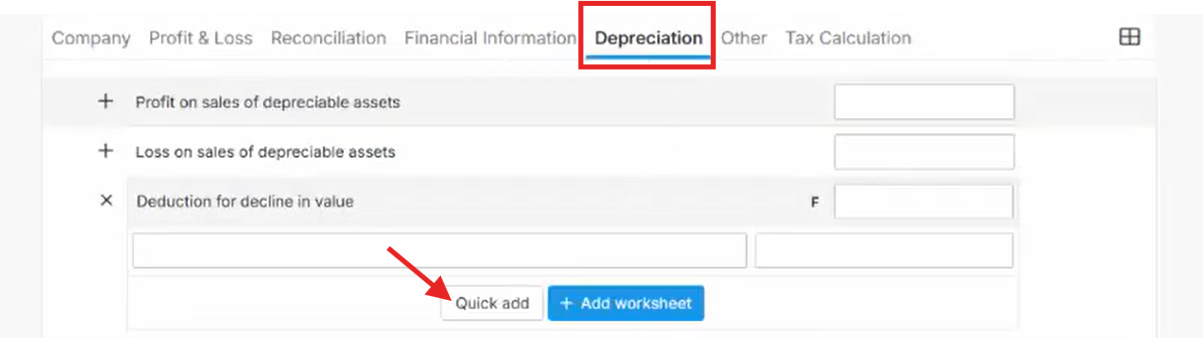
3. Via Form Depreciation tab, select Quick add
Related guide: Quick Add using Lodgeit Template
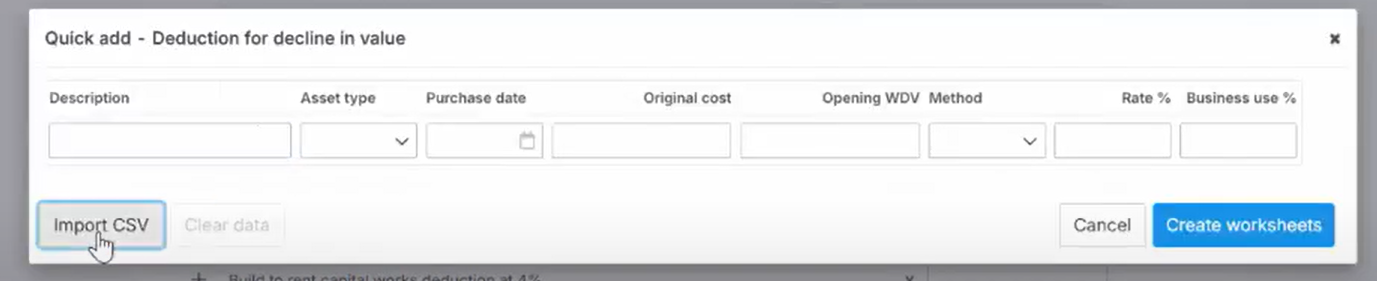
3. Import the exported file.
4. Review and confirm the imported data via "Print"