
Go to Reports > Depreciation > All to generate all of your assets that have been added via tools.
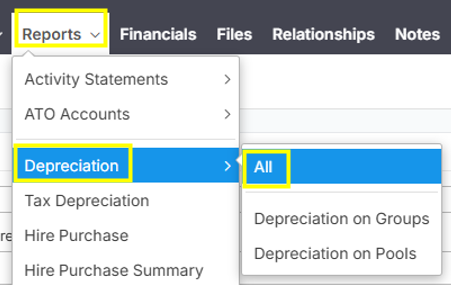
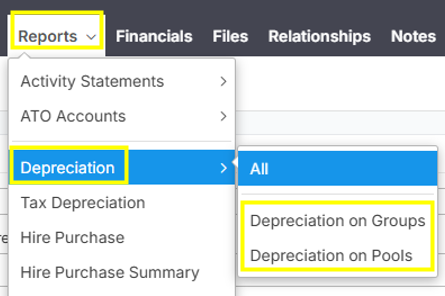
Note: You can also select more specific by selecting "Depreciation on Groups" or "Depreciation on Pools".
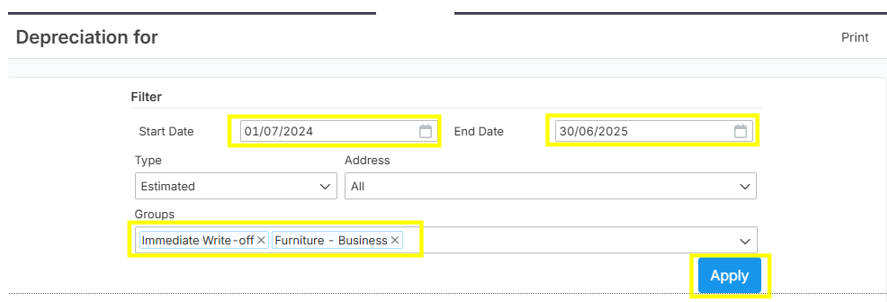
Input the Start Date and End Date of the report period you wanted to generate. Below example shows date parameters for Fiscal Year 2025. Then, select asset Groups that you wanted to include in the report (you can select all asset groups or specific asset groups). Click "Apply" button to view the depreciation report.
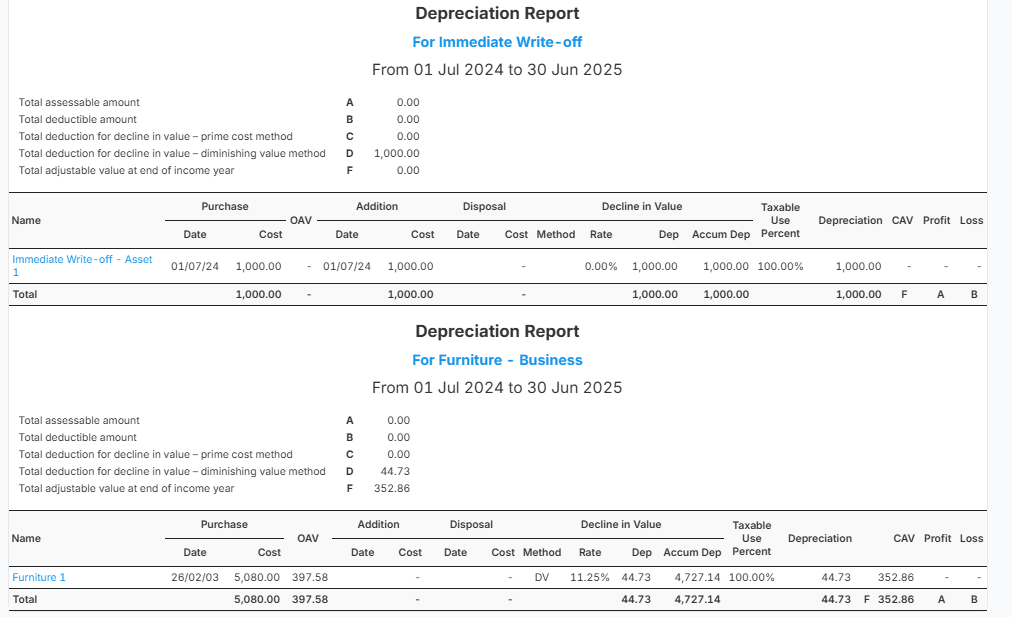
Sample Depreciation Report:
If you wanted to generate the pdf copy of the depreciation report, just click the "Print"icon.
