
Error: Incomplete field provided for role FTC
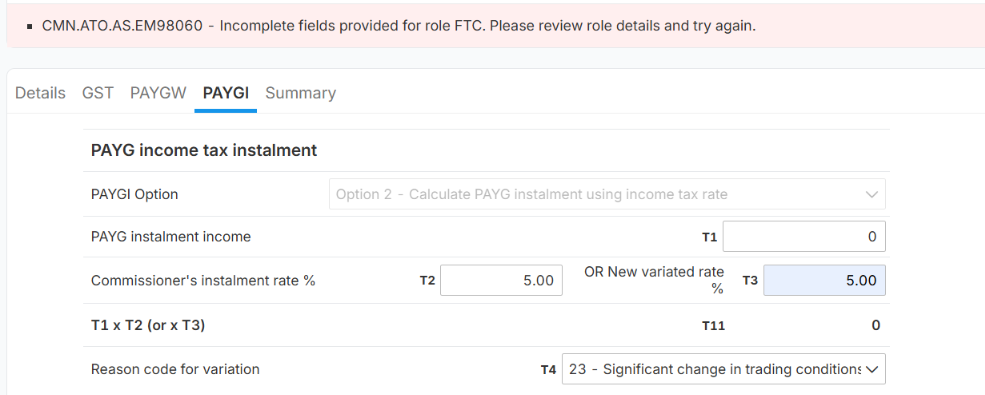
What does this error mean?
The system is trying to send information related to the Fuel Tax Credit (FTC) role to the ATO, but one or more mandatory fields in the FTC section have been left blank or contain incomplete information.
The ATO requires all mandatory FTC information to be completed before the data can be successfully submitted.
How to resolve the error
- Open the relevant BAS/Activity Statement in Lodgeit.
- Review the sections related to Fuel Tax Credits (FTC).
- Check that all required fields have been completed.
If the client is not claiming Fuel Tax Credits
If the client does not have any Fuel Tax Credit claim for the relevant period, check whether an FTC-related field or role has been incorrectly included in the activity statement.
Remove or correct the FTC information, where applicable, and validate the form again.
If the error persists
If all FTC fields appear to be completed but the error continues:
- Recheck the BAS period and FTC information.
- Confirm that there are no incomplete or incorrectly mapped FTC fields.
- If the BAS was imported from another accounting system, review the imported FTC data.
- Run validation again after making any corrections.