
This guide explains how to record costs and calculate capital gains or losses for CGT events in alignment with ATO cost base rules using the granular method in Lodgeit.
Recording Purchase and Sale Details
Capital Proceeds: Enter the total amount of money received from the sale or disposal of the asset.
Less Costs Incurred: Enter all purchase costs and any other expenses related to acquiring the asset. This forms part of the cost base for CGT calculation.
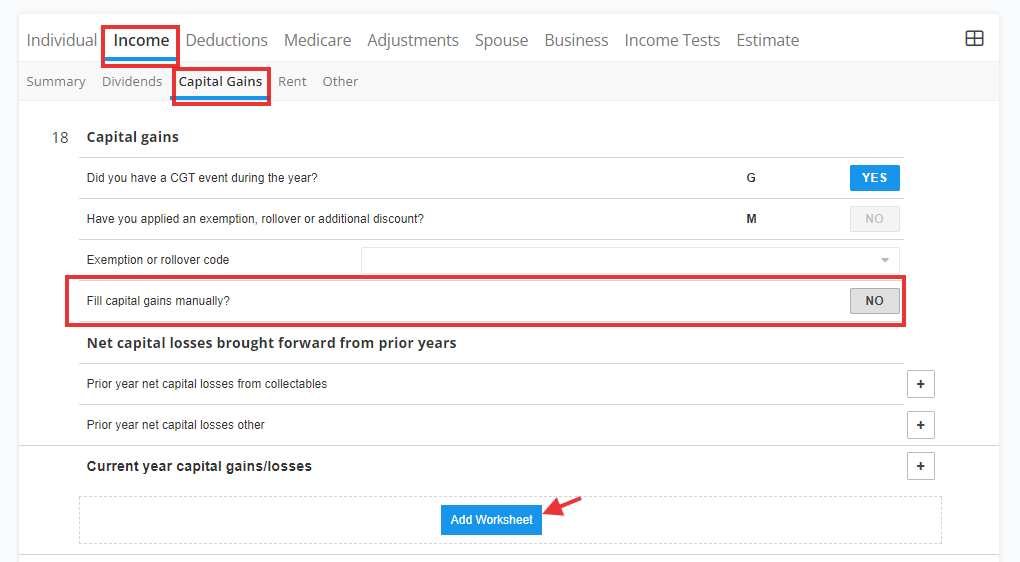
First, activate the "Capital Gain" via manage section

Via item 18 Capital Gains, select "Add Worksheet"
Example:
Purchase cost: $6,573 (50% ownership = $3,286.50)
Sale proceeds: $5,841 (50% ownership = $2,920.50)
Resulting in a capital loss of ($732) (50% ownership = ($366))
Note:
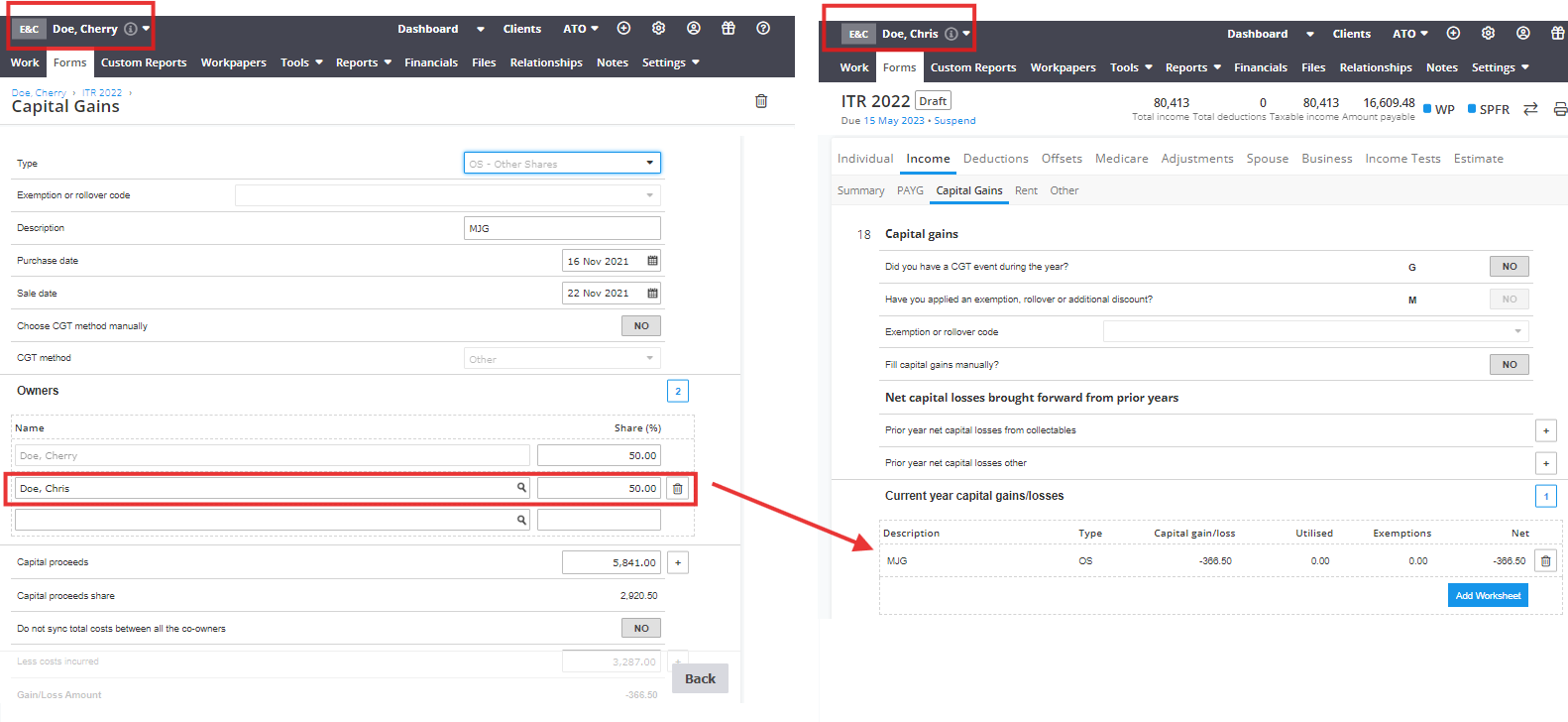
Capital proceeds amount: should be entered at 100% of amount of proceeds. The system will auto calculate the share Capital Proceeds Share depending on the Percentage of Ownership of a taxpayer. In the given example, the system calculated the Capital proceeds share as $2,920.50
Less cost incurred: should be the share portion of the individual. In the given example, the amount that should be manually entered is just the 50% of the purchase cost which is $3,286.50


Note: The Purchase Date and Sale Date fields are not submitted to the ATO. They are only used internally to determine eligibility for CGT discounts.
Learn more from the below:
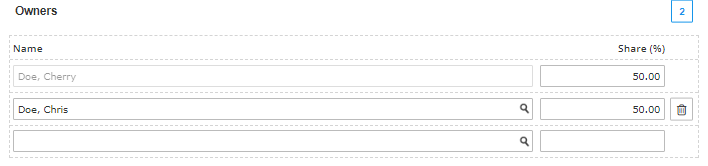
Other CGT "Owner"
The CGT worksheet data for one owner will automatically populate onto the other owner's tax form. For example, Cheryl Doe’s CGT details will be copied to Chris Doe’s return automatically.
"Less Cost incurred"/ Cost Base
Work out a cost base of an asset by splitting its costs into 5 elements. Please note that since now Capital proceeds is the amount of money received as a result of a CGT event.

Main residence exemption
You may apply the full or partial main residence exemption to reduce your capital gain.This exemption amount must be calculated manually.
Enter the exemption amount in the Less Main Residence Exemption field on the worksheet.
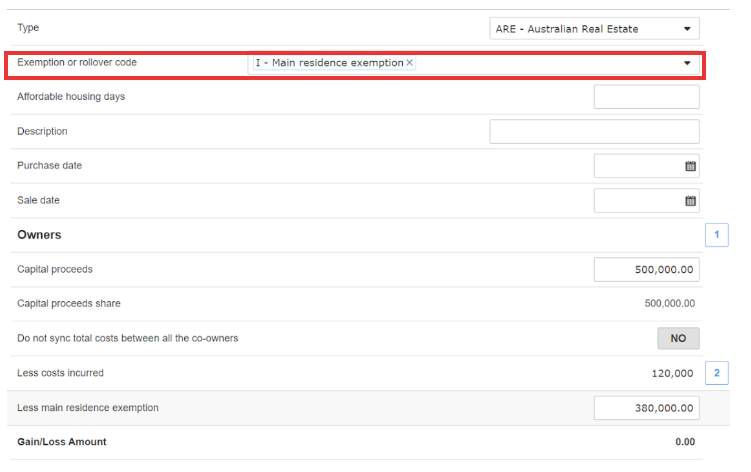
Exemption or rollover code
Select all applicable exemption or rollover codes directly on the worksheet to apply these to your CGT event.

"Fill Capital Gain Manually"
When setting these dates for the first time, the system will automatically change the Fill Capital Gain Manually option to NO. You can override this if you wish to enter the capital gain or loss manually.

Related Article: Prior Year Net Capital Losses (ITR)