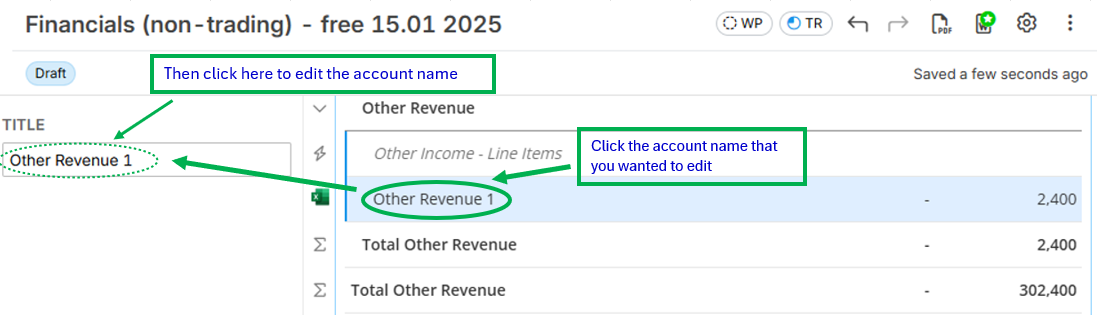
QUESTION: How to edit account name and group title of the financial report?
ANSWER:
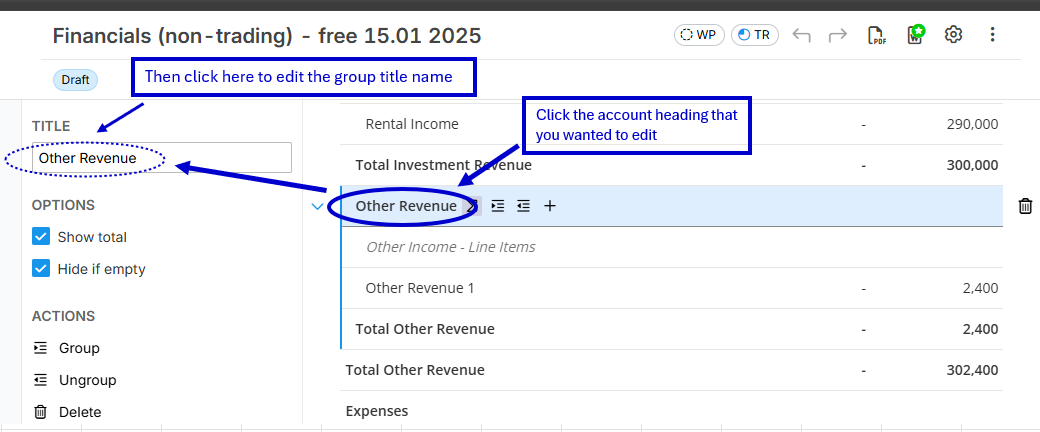
- Guide to edit the group title name:
Just click the group title (e.g. is "Other Revenue") that was imported using Lodgeit Excel Import file. Then, you can edit the name in the "Title" field that will show in the upper left side of report. See below image for your reference:
- Guide to edit the account name:
Just click the account name (e.g. is "Other Revenue 1") that was imported using Lodgeit Excel Import file. Then, you can edit the name in the "Title" field that will show in the upper left side of report.