Just click the "PDF icon" in the upper right side to print the pdf copy of the financial report.

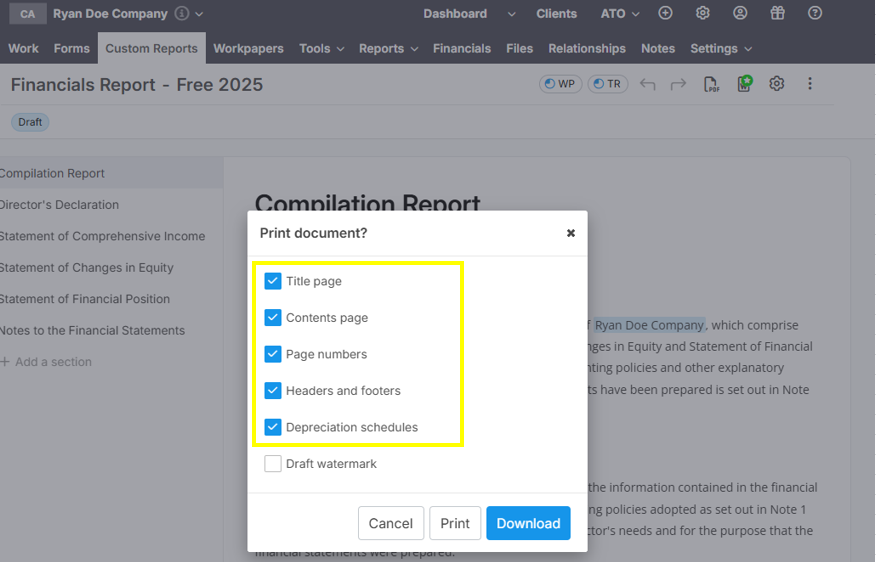
Lodgeit user will able to exclude: Title Page, Contents Page, Page Numbers and Headers/Footers and Depreciation Schedules (from Tools).

Modified on: Mon, 23 Mar, 2026 at 3:57 PM
Just click the "PDF icon" in the upper right side to print the pdf copy of the financial report.
Lodgeit user will able to exclude: Title Page, Contents Page, Page Numbers and Headers/Footers and Depreciation Schedules (from Tools).
Did you find it helpful? Yes No
Send feedback