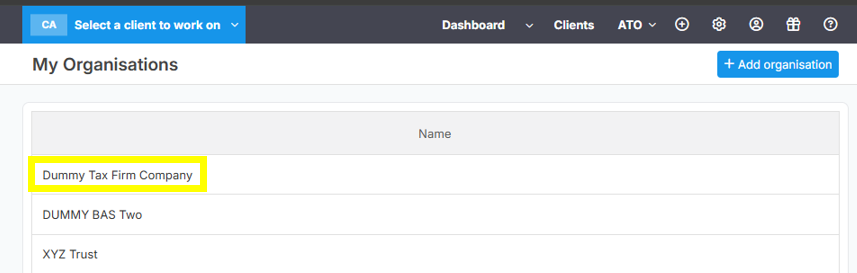
Follow the guide below, if you wanted to add another "Organisation" in your existing Lodgeit account.
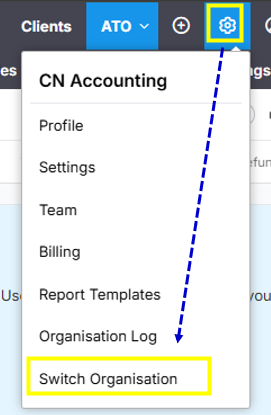
1. Click "Gear Wheel" button and then select "Switch Organisation".
2. Click "Add organisation" button to add an additional organisation.

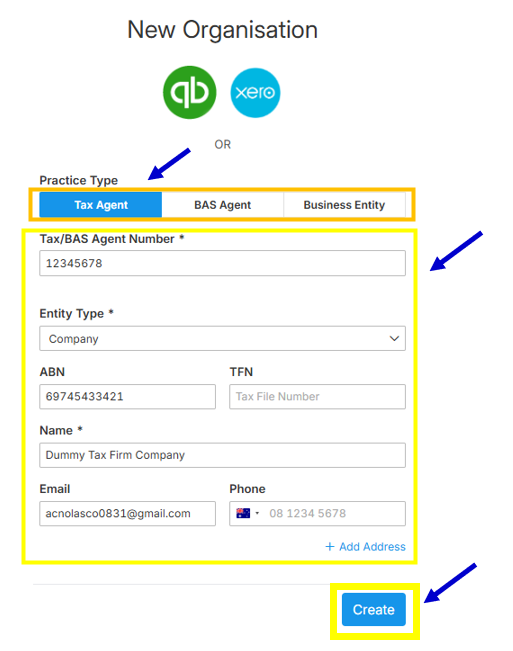
3. Fill-up the necessary details to create the new organisation, then click the "Create" button.
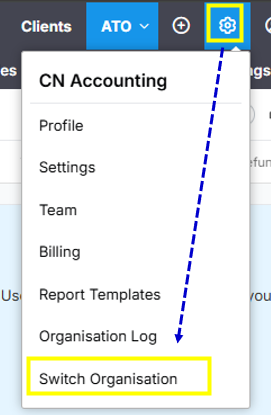
4. To access all of your organisations, you need to click the "Gear Wheel" button again and then select "Switch Organisation"
Below image shows the newly created organisation and the other organisations as well that you have an access.