
The Billing page shows your organisation's plan, how many lodgments you have left, and your payments. You also buy a plan or extra lodgments there.
In this article
- Before you start
- Open the Billing page
- What the page shows
- Buy a plan or more lodgments
- Common questions
Before you start
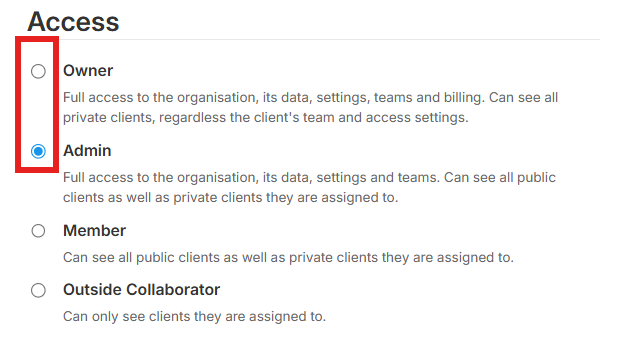
- You have Owner access to the organisation. Admin access doesn't include billing.
Open the Billing page
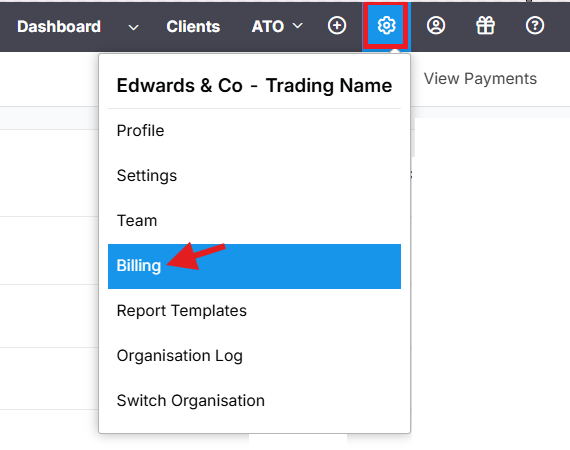
- Select the gear icon in the top bar.
- Select Billing.
If your organisation has no active plan, Lodgeit shows the list of plans instead.
What the page shows
- Your plan and when it expires.
- For each type of lodgment, how many you have left out of how many you bought, for example 677/700. A plan with unlimited lodgments shows unlimited.
- Buy next to the items you can top up.
- Cancel Subscription, when your plan can be cancelled.
- View Payments, the list of your payments. Select a payment to open its tax invoice, then select Download PDF or Print.
Buy a plan or more lodgments
You pay by card each time you buy. The steps depend on your account type:
- Package subscription for tax agents
- Package subscription for BAS agents and bookkeepers
- Buying lodgments for businesses
For current prices, see Pricing.
Common questions
When can I lodge after I pay?
Straight away. The lodgments are added to your plan as soon as the card payment goes through, including on weekends and outside business hours. If your plan has a later start date, the lodgments become available when it starts.
How do I check how many lodgments I have left?
Open the Billing page. The number next to each type of lodgment shows how many you have left out of how many you bought.
I can't see Billing in the menu
Only team members with Owner access see it. Ask an owner of your organisation to buy for you, or to give you Owner access on the Team page. Only an owner can give Owner access. See Teams, access levels and client access.