
Overview
If you need to update the income distribution percentage for partners in a Partnership Tax Return (PTR), you must select the correct Distribution Type within each partner’s schedule.
Changing the income distribution setting to Manual on the main Partners tab does not automatically display a field for entering the updated percentage.
Steps to Change the Share Percentage
Open the relevant Partnership Tax Return (PTR) in LodgeiT.
Navigate to the Partners tab.
Change the Share of Income setting to Manual on the main Partners page.
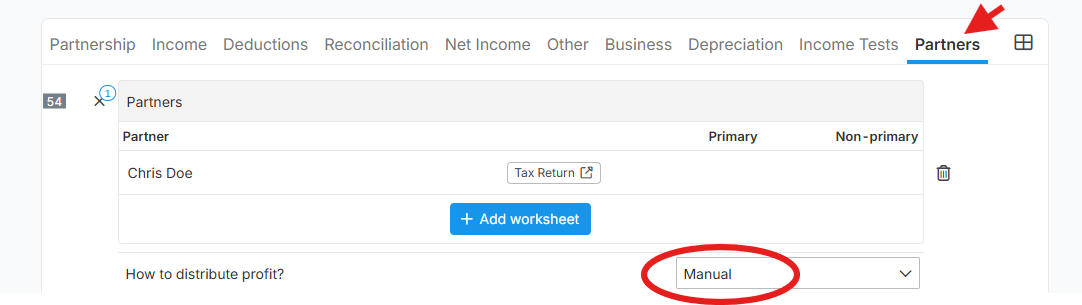
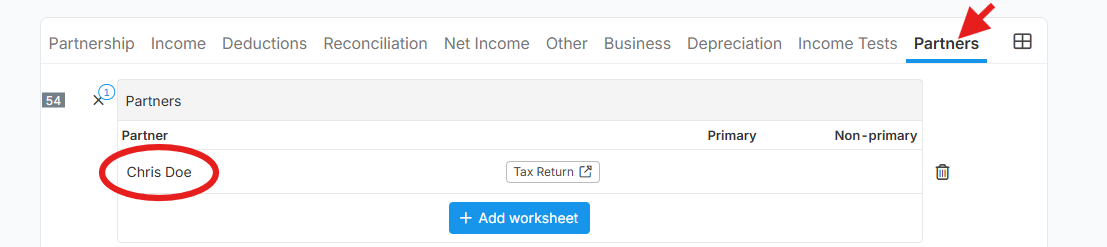
Open the individual partner’s schedule.
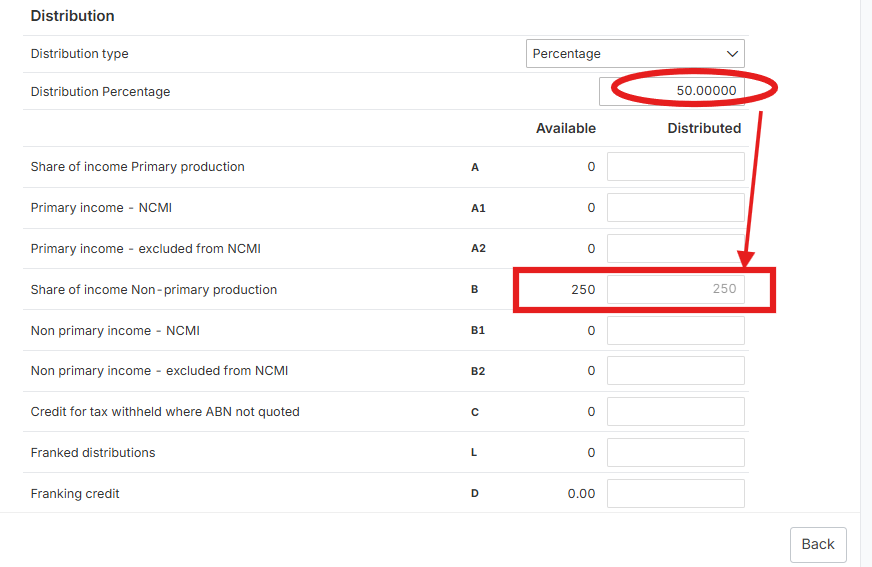
Locate the Distribution Type field and select Percentage.
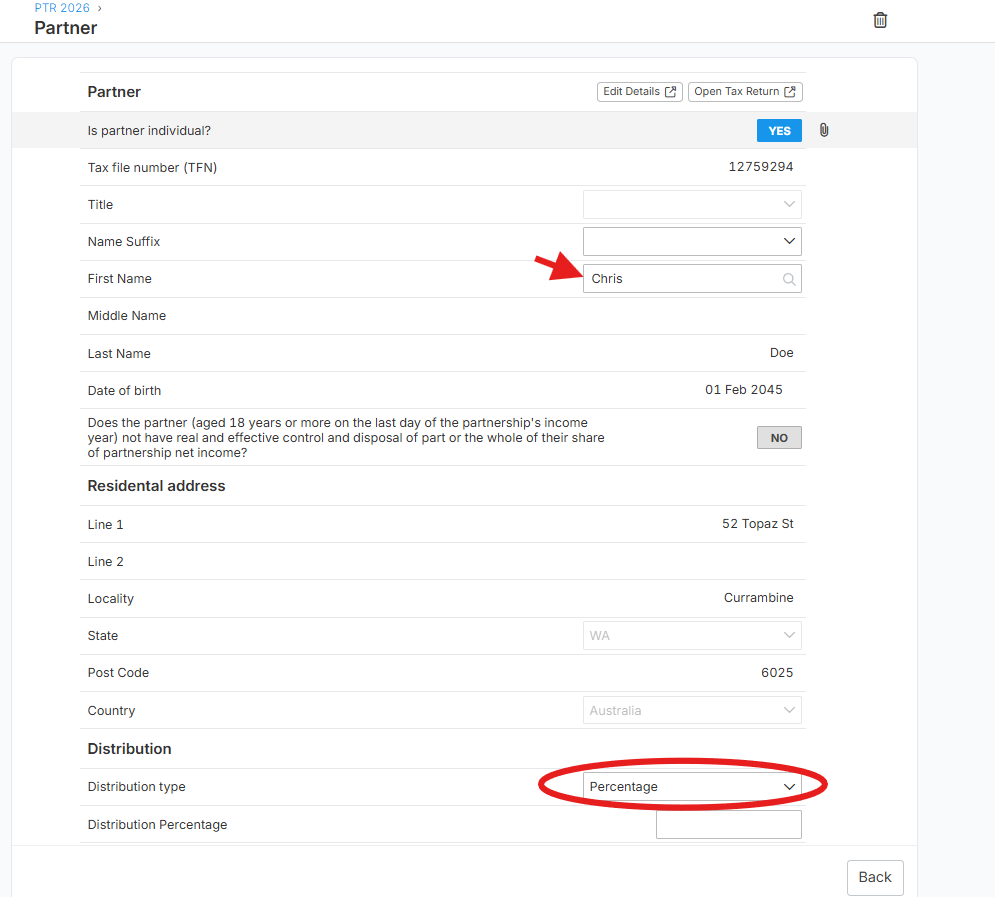
Once Percentage is selected, the Distribution Percentage field will appear.
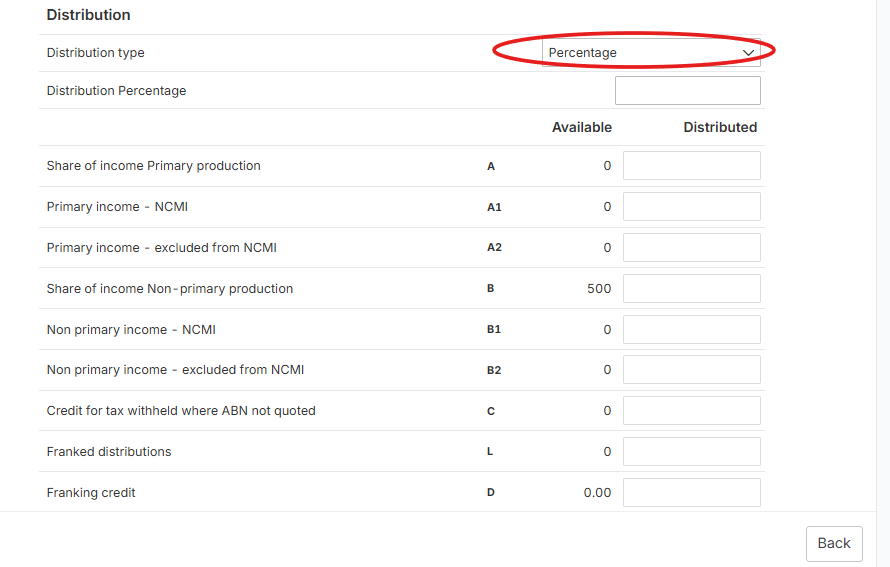
Enter the updated percentage for the partner.
Repeat these steps for each partner as required, ensuring the distribution percentages are consistent with the partnership’s records.
Important Note
Selecting Manual on the main Partners tab allows you to choose either Percentage or Manual as the Distribution Type within each individual partner’s schedule.
The Distribution Percentage field is only displayed when the Distribution Type is set to Percentage.
Related Guide
For more information about preparing a Partnership Tax Return, refer to Preparation of Partnership Tax Return (PTR).